
Import from Xero, FreeAgent, QuickBooks, Sage or a spreadsheet
Core · Customers, suppliers & bank transactions
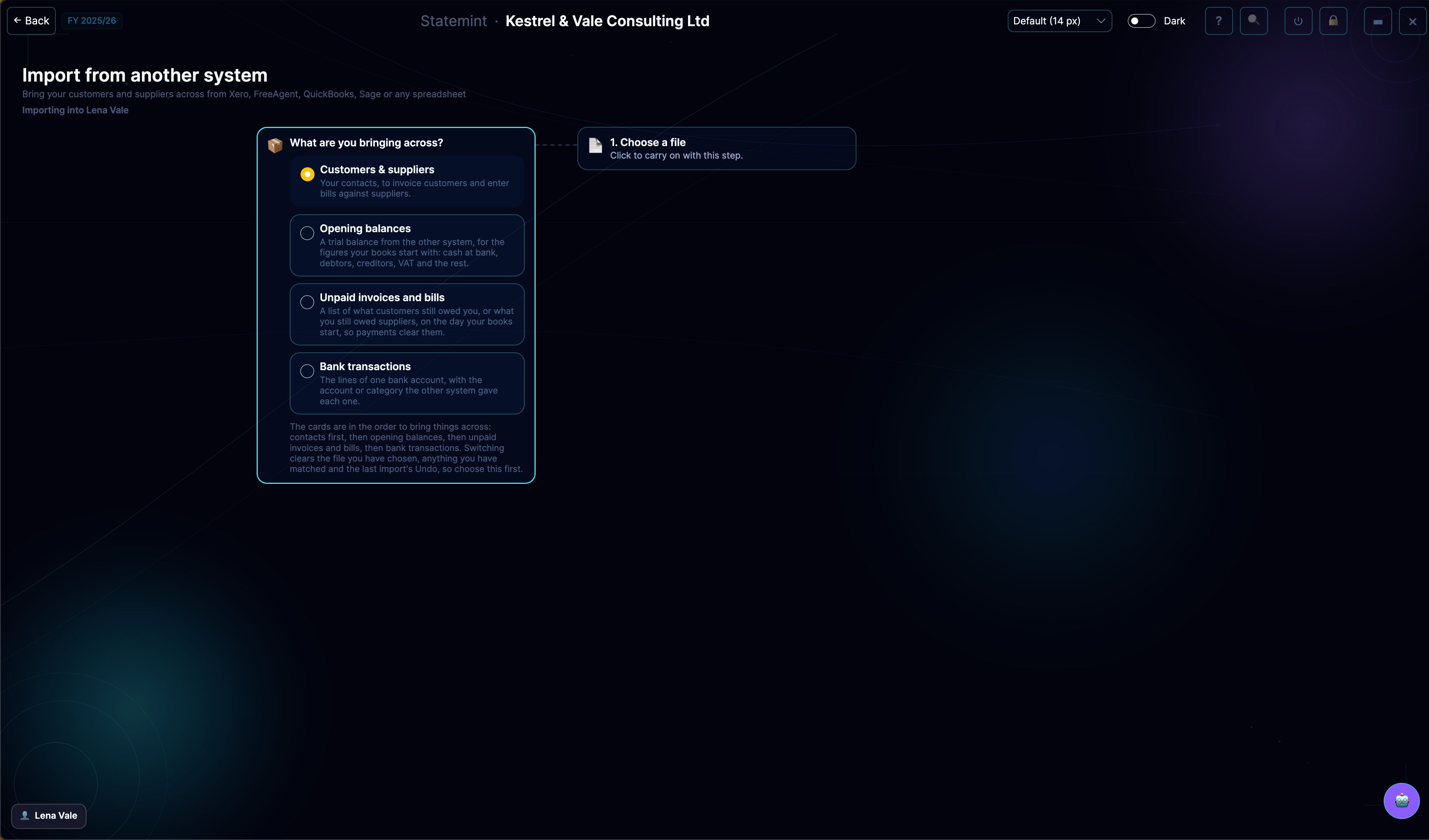
Switching accounting software does not mean starting again. Export your data from the old system, match its columns to Statemint's fields, check the preview and import. A backup is taken first, and you can undo the import straight afterwards.
What you can do
- Bring across customers and suppliers, opening balances from a trial balance, unpaid invoices and bills, or bank transactions
- Use a CSV or Excel export, even when the report has titles above the column headings
- Preview the result first: new records, ones Statemint already holds, and any rows it cannot import
- Import the same file again safely, because lines that already exist are skipped
- Undo the import straight away if it is not what you wanted
Who it's for
Available on every account. Sole traders · Limited companies · Accountants & bookkeepers
Included in your plan
Every plan includes every feature for its business type, so Import from another system is part of your plan. See pricing.
Related features
InvoicesSend & track paymentsBillsEnter & pay supplier billsSuppliersSpend & income sourcesTransactionsBrowse & categoriseSettingsProfile & preferencesLiabilitiesLoans & balances owed
More Core features · All features